


Seize the means of computation
Framework Desktop is a 4.5L workstation with up to 192GB of LPDDR5X memory and the AMD Ryzen™ AI Max+ PRO 495. Run large AI models on hardware you own.
Seize the means of computation
Framework Desktop is a 4.5L workstation with up to 192GB of LPDDR5X memory and the AMD Ryzen™ AI Max+ PRO 495. Run large AI models on hardware you own.

Now with Ryzen™ AI Max+ PRO 495
16 Zen 5 CPU cores, a giant 40-CU GPU, and a 256-bit memory bus means that this processor is ready for AI inference, gaming, and heavy-duty workstation workloads.
Now with Ryzen™ AI Max+ PRO 495
16 Zen 5 CPU cores, a giant 40-CU GPU, and a 256-bit memory bus means that this processor is ready for AI inference, gaming, and heavy-duty workstation workloads.

Grab the memory capacity you need
Now with 32GB, 64GB, 128GB, and 192GB memory capacity options. Size your memory to the large models you need to run, or pick up the 32GB for a capable gaming and workstation rig.
Grab the memory capacity you need
Now with 32GB, 64GB, 128GB, and 192GB memory capacity options. Size your memory to the large models you need to run, or pick up the 32GB for a capable gaming and workstation rig.

Linux-ready out of the box
Build DIY Edition and install your choice of Linux distro, or pick up a pre-built and get pre-installed Fedora ready to go out of the box.
Linux-ready out of the box
Build DIY Edition and install your choice of Linux distro, or pick up a pre-built and get pre-installed Fedora ready to go out of the box.
Run DeepSeek V4.1 Flash in one box
Framework Desktop can handle bigger models than ever with up to 192GB of LPDDR5X. Run 300B-class models at 4-bit quantization with headroom to spare for extra context length. Up to 16 high-performance Zen 5 CPU cores means your OpenClaw or Hermes Agent can power through application and tool-calling too.
Popular open models you can run
A snapshot of popular open-weight models running on Framework Desktop, measured on our reference configuration. Full methodology, runtime versions, and reproducible configs are published on the Framework Blog [1][2], GitHub, and YouTube channel.
Framework Desktop |
Recommended model (as of Sept 2026) |
AMD Ryzen™ AI Max 385 - 32GB |
Qwen3.8-27B |
AMD Ryzen™ AI Max+ 395 - 64GB |
Qwen3.5-122B-A10B |
AMD Ryzen™ AI Max+ 395 - 128GB |
DeepSeek V4 Flash 0731 |
AMD Ryzen™ AI Max+ PRO 495 - 192GB |
DeepSeek V4.1 Flash Q2 |
Framework Desktop |
Quantization |
AMD Ryzen™ AI Max 385 - 32GB |
UD-Q4_K_XL |
AMD Ryzen™ AI Max+ 395 - 64GB |
Q3_K_S |
AMD Ryzen™ AI Max+ 395 - 128GB |
UD-IQ2_XXS |
AMD Ryzen™ AI Max+ PRO 495 - 192GB |
Q2 |
Framework Desktop |
Memory Used |
AMD Ryzen™ AI Max 385 - 32GB |
17.6GB |
AMD Ryzen™ AI Max+ 395 - 64GB |
52.5GB |
AMD Ryzen™ AI Max+ 395 - 128GB |
90.9GB |
AMD Ryzen™ AI Max+ PRO 495 - 192GB |
163GB |
*Reference configuration: measured on Framework Desktop with the AMD Ryzen™ AI Max+ PRO 495 and 192GB LPDDR5X-8533. Generation tokens per second at 2048-token context, batch size 1. Your numbers will vary with quantization, context length, and runtime.
It's a workstation too!

Framework Desktop is a standard PC that just happens to use a one-of-a-kind, monstrous processor from AMD. Use it for software development, editing video in Premiere and Resolve, building scenes in Blender, gaming at 1440p on AAA titles, or as your overkill daily driver in Linux or Windows.
Full set of I/O

Two Framework Expansion Card slots on the front let you adjust your most commonly used ports. Choose between USB-C, USB-A, 3.5mm audio jack, microSD, SD, Storage, Ethernet. Around the back, a full set of rear I/O handles your displays, network, and peripherals.
PC parts, your pick

Framework Desktop is built on a standard Mini-ITX Mainboard, FlexATX power supply, and 120mm CPU fan, so you can pull the Mainboard on its own and build a custom desktop around it. Dual M.2 2280 slots let you add and upgrade NVMe storage right off the shelf.
Cluster when you're ready
192 GB

192 GB
192 GB
192 GB

768 GB
192 GB
192 GB
192 GB
192 GB
768 GB
192 GB
192 GB
192 GB
192 GB
768 GB
192 GB
192 GB
192 GB
192 GB
768 GB
192 GB
192 GB
192 GB
192 GB
768 GB
Framework Desktops have multiple paths for clustering to run even larger models. USB4 offers a simple and convenient path for enabling pipeline parallelism or multi-agent clusters. The PCIe x4 slot lets you connect high-speed, low-latency 50Gbps RoCE NICs like the Intel E810 to enable high-performance tensor parallelism. The Ryzen™ AI Max+ PRO 495 config has an open-ended version of the PCIe x4 slot, letting you plug in x8 and x16 cards directly without needing a riser adapter. Start with one node today, and add more whenever your models demand it.
Fun-sized form factor
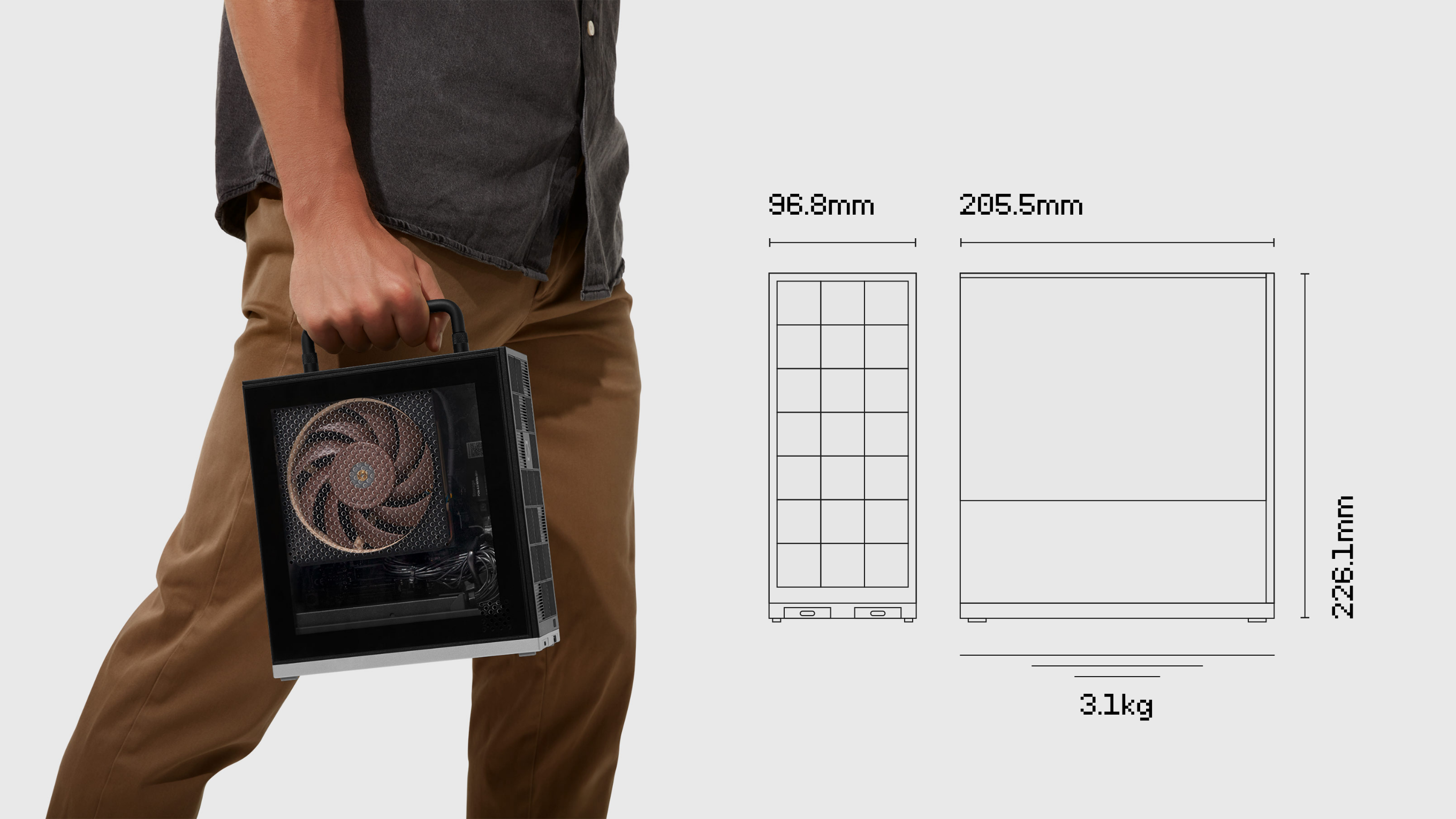
Framework Desktop is 96.8mm by 205.5mm by 226.1mm and weighs 3.1kg, small and light enough to pick up with one hand and carry by the optional handle. It fits on a shelf, a desk corner, or in a backpack, wherever a full desktop tower has never fit before.
Community projects
The Framework Desktop was built to be yours. Check out how our community members made theirs their own, with projects ranging from front panel monitors and geometric tiles to under-desk mounts and rack builds. Open source is core to how we build, and you can find our hardware and software resources on our GitHub.

Framework Desktop Front
Panel Monitor System
View Project
Framework Desktop
Tile Generator
View Project
Framework Desktop Geometric
Circles Tile
View Project
Framework Desktop
ITX-Mainboard 10Zoll Rack
View Project
Framework Desktop
Under Desk Mount
View Project
Framework Desktop
Front Panel
View Project
Framework Desktop Tile
Picker UI
View Project
The choice is yours
The Framework Desktop is available pre-built with Fedora pre-installed, or as a DIY Edition that lets you install the operating system of your choice.
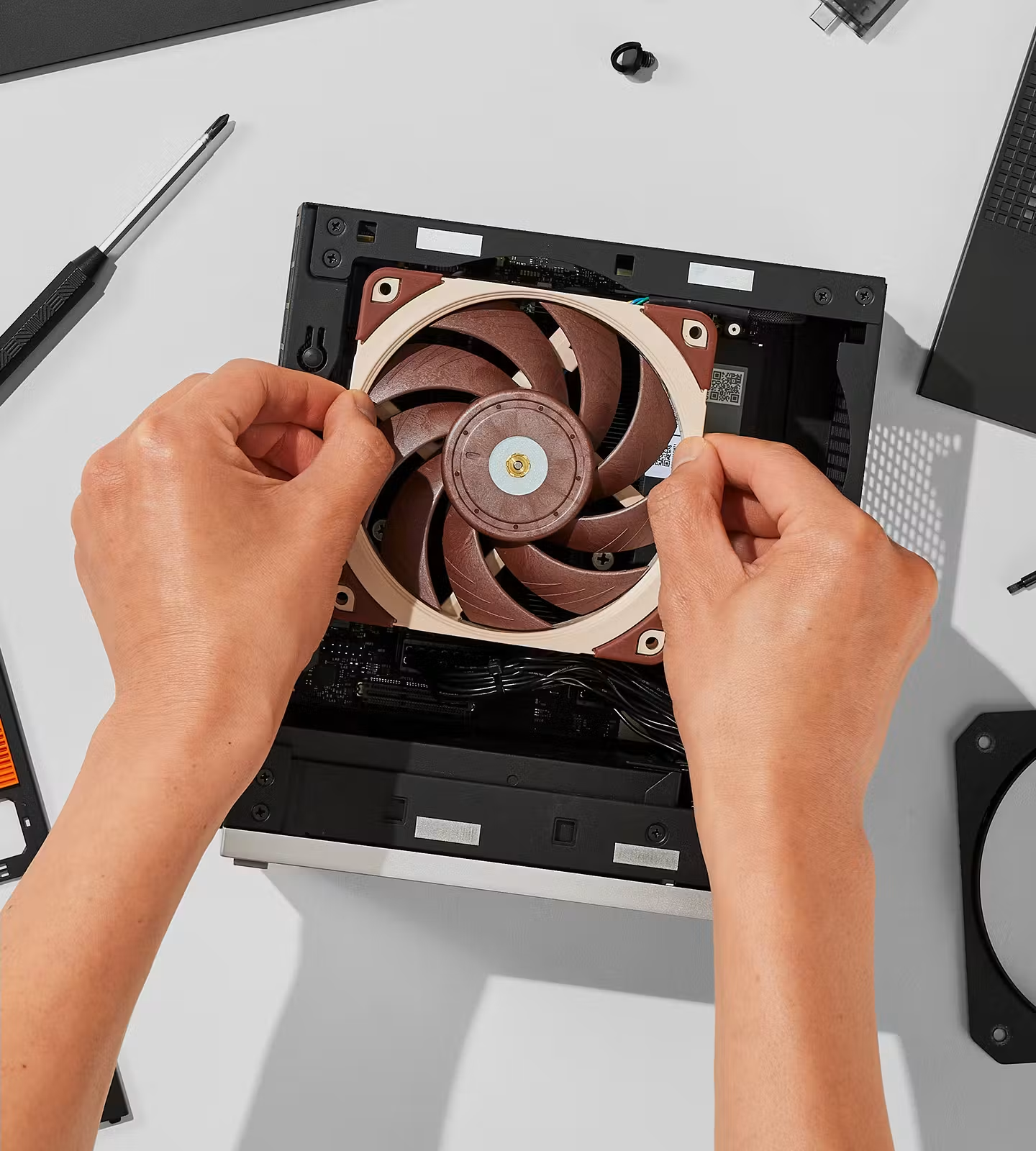
DIY Edition
Bring your own memory, storage, and operating system, including Linux or Windows, and build it yourself.
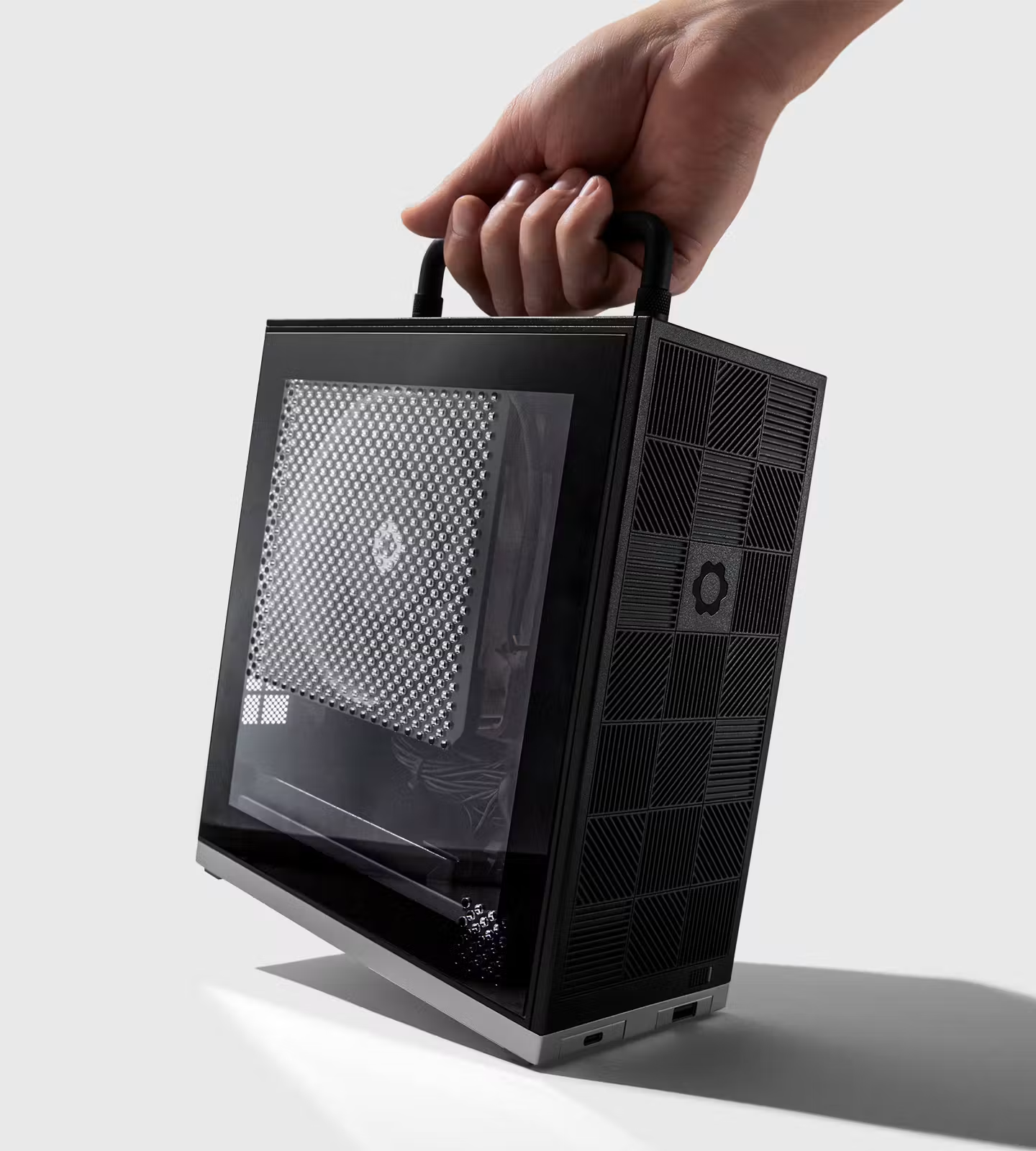
Pre-built
Ready to go out of the box with Fedora. Easy to upgrade whenever you need to.
Planning a volume purchase?

Keep track of what we’re working on with the Framework Newsletter.
Monthly-ish

