What 192GB Changes for Local AI on the Framework Desktop
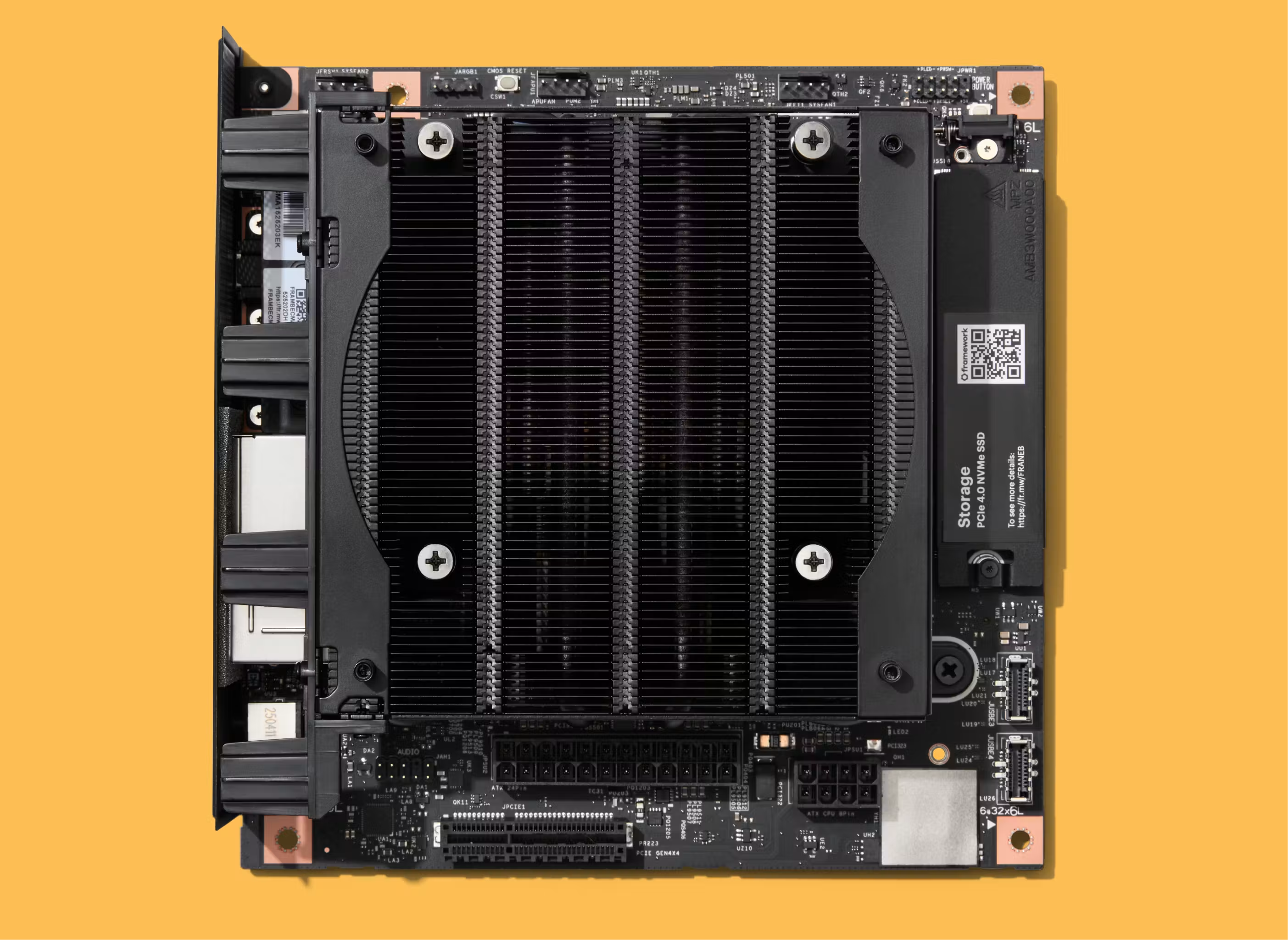
The 192GB Framework Desktop is built around AMD's Ryzen AI Max+ PRO 495, codenamed Gorgon Halo. The important change for local AI is the extra unified memory. Compared with the top Strix Halo configuration, the additional 64GB lets you keep larger models loaded in memory on one machine instead of streaming weights from an SSD or clustering multiple machines. Alternatively, this also allows you to keep two smaller models loaded at the same time. You can then use a fast model for the main session and let it consult a second, more capable but slower model when it gets stuck.
For the 32GB, 64GB, and 128GB Strix Halo configurations, see the earlier guide to choosing a Framework Desktop for local AI.
What changes from Strix Halo
Gorgon Halo keeps the same CPU and GPU architectures as Strix Halo, so the existing software carries over. AMD has raised the maximum GPU clock slightly and increased theoretical memory bandwidth by about 6.7 percent. Those changes may provide a minor performance boost, but what really matters here is the additional 64GB of memory.
The software stack carries over
The containers, model formats, and workflows developed for Strix Halo also work on the 192GB machine.
That includes llama.cpp, vLLM, ComfyUI, DwarfStar, and Halogen Flash Server. The Strix Halo llama.cpp forks maintained by Nathan Wilson and Halo Box carry over too. If you want a user interface, LM Studio, Ollama, and Lemonade can run llama.cpp.
On Linux, you can use AI Toolbox Cockpit to install and run the containers as configured in this article.
Which larger models can you load?
These are some of the most capable open-weight models tested over the past few weeks that can run on one Gorgon Halo machine but do not fit in a 128GB configuration.
Running DeepSeek V4.1 Flash on one machine
Antirez's calibrated DeepSeek V4.1 Flash Q2 file includes the main model weights and the Engram tables. DwarfStar keeps the main weights in memory and leaves the Engram tables on disk. On Strix Halo, it must either stream some of the main weights from SSD, which is slow, or split them across two nodes. On Gorgon Halo, all the main weights stay in memory on one machine.
With Decoder SWA Bounded Replay enabled, DeepSeek can also process prompts much faster because most input tokens pass through only half of the model's layers. DeepSeek specifically trained the model to tolerate this approximation and still work well.
To reproduce this Linux configuration, install AI Toolbox Cockpit, select the current DwarfStar container, and download antirez's calibrated Q2 weights. In Server mode, choose DwarfStar, select the DeepSeek V4.1 Flash Q2 model, use standalone mode, and leave SSD streaming disabled.
Speculative Decoding Support
DwarfStar now also supports DeepSeek's DSpark speculative decoding. Download the DSpark MXFP4 support model and enable DSpark in AI Toolbox Cockpit. DSpark cannot be combined with SSD streaming, so keep SSD streaming disabled.
Running DeepSeek V4.1 Flash Using Podman
You can also run the same container directly with Podman. These examples assume the Q2 model, DSpark support model, and optional vision encoder are in ~/ds4.
DSpark:
podman run --rm -it --name ds4-server \
  --device /dev/dri --device /dev/kfd --group-add keep-groups \
  --security-opt seccomp=unconfined --security-opt label=disable \
  --ipc=host --cap-add=SYS_PTRACE --userns=keep-id \
  --env DS4_ENABLE_V41_DECODER_SWA_BOUNDED_REPLAY=1 \
  -p 127.0.0.1:8000:8000 -v "$HOME/ds4:/models:ro" \
  docker.io/kyuz0/strix-halo-ds4-toolbox:rocm-10.0 \
  ds4-server -m /models/DeepSeek-V4.1-Flash-Q2.gguf --ctx 67840 \
  --host 0.0.0.0 --port 8000 \
  --mtp-model /models/DeepSeek-V4.1-Flash-DSpark-MXFP4.gguf --dspark
Vision:
podman run --rm -it --name ds4-server \
  --device /dev/dri --device /dev/kfd --group-add keep-groups \
  --security-opt seccomp=unconfined --security-opt label=disable \
  --ipc=host --cap-add=SYS_PTRACE --userns=keep-id \
  --env DS4_ENABLE_V41_DECODER_SWA_BOUNDED_REPLAY=1 \
  -p 127.0.0.1:8000:8000 -v "$HOME/ds4:/models:ro" \
  docker.io/kyuz0/strix-halo-ds4-toolbox:rocm-10.0 \
  ds4-server -m /models/DeepSeek-V4.1-Flash-Q2.gguf --ctx 67840 \
  --host 0.0.0.0 --port 8000 \
  --vision /models/DeepSeek-V4.1-Flash-Vision.gguf
DSpark and vision together:
podman run --rm -it --name ds4-server \
  --device /dev/dri --device /dev/kfd --group-add keep-groups \
  --security-opt seccomp=unconfined --security-opt label=disable \
  --ipc=host --cap-add=SYS_PTRACE --userns=keep-id \
  --env DS4_ENABLE_V41_DECODER_SWA_BOUNDED_REPLAY=1 \
  -p 127.0.0.1:8000:8000 -v "$HOME/ds4:/models:ro" \
  docker.io/kyuz0/strix-halo-ds4-toolbox:rocm-10.0 \
  ds4-server -m /models/DeepSeek-V4.1-Flash-Q2.gguf --ctx 67840 \
  --host 0.0.0.0 --port 8000 \
  --vision /models/DeepSeek-V4.1-Flash-Vision.gguf \
  --mtp-model /models/DeepSeek-V4.1-Flash-DSpark-MXFP4.gguf --dspark
Performance as the context grows
The models were evaluated at different context depths by processing a prompt of 2,048 tokens and then generating 256 tokens.
[Prompt processing and generation speeds at 0, 32K and 64K existing context for DeepSeek V4.1 Flash, MiMo V2.6 Flash and two GLM-5.3 Flash configurations.]
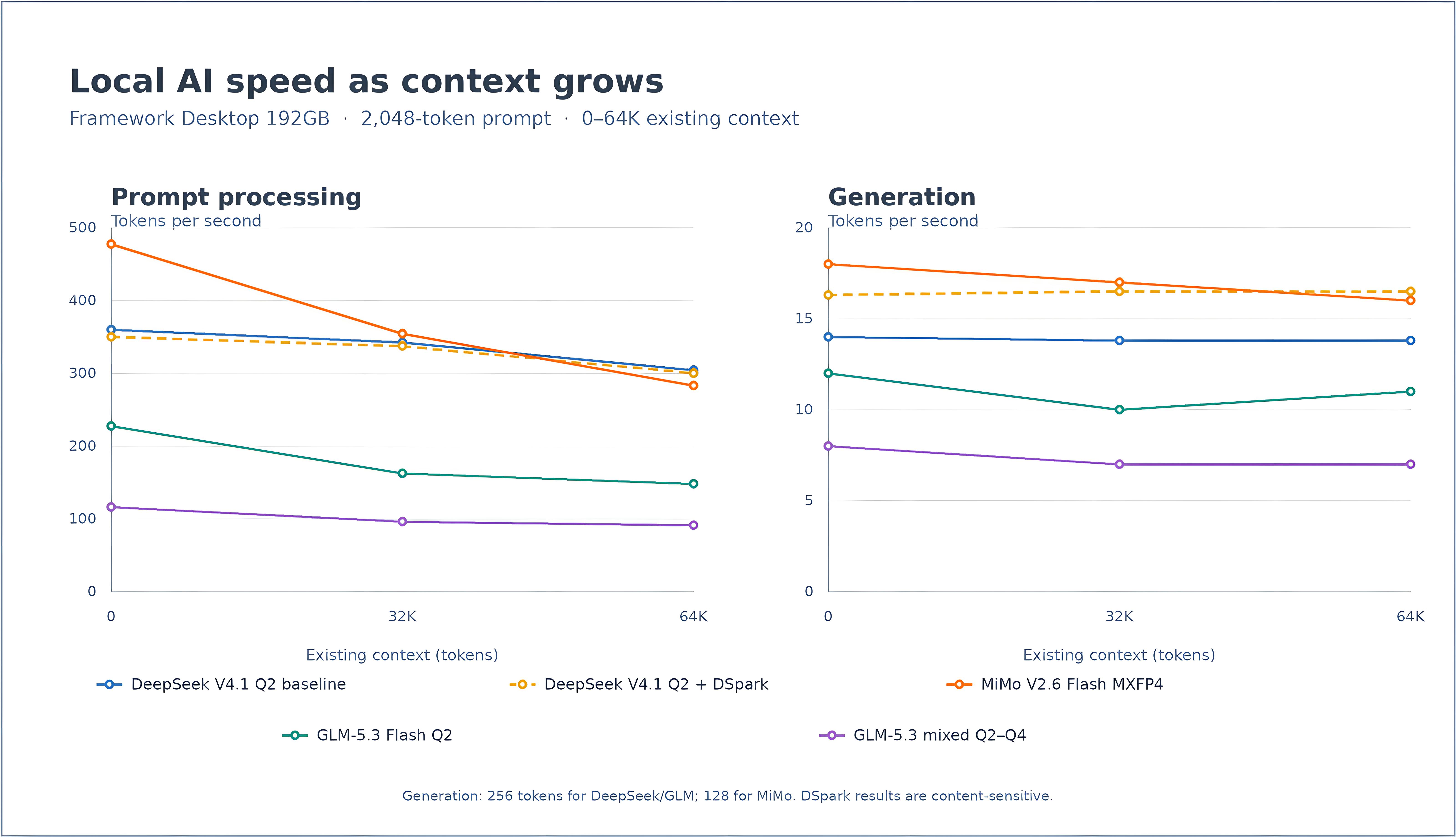
Prompt processing begins faster with MiMo, but its rate falls more steadily as the session grows. At 64K of existing context, prompt processing is a little faster with the tested DeepSeek configuration. Generation changes less across the curve. Without speculation, DeepSeek remains close to 14 tokens per second, while MiMo falls from about 18 to 16.
With DSpark, DeepSeek generation was 16 percent faster at the start of the curve, 20 percent faster at 32K, and 19 percent faster at 64K than the matching non-speculative run. Prompt processing was slightly slower (as expected with speculative decoding). DSpark is content-sensitive, so its acceptance rate and speed vary with the generated text (for example, in one run of this benchmark, one point on the context-depth curve reached 19 tokens per second in one try).
The MiMo test did not use speculative decoding because llama.cpp support for MiMo MTP was not yet implemented at the time of testing. Support for these models is still being actively developed and tuned, so these numbers are a current measurement rather than a fixed limit of the models or hardware. Updated measurements will be available on Local LLM Benchmarks.
Both GLM configurations are slow for an interactive coding session. They are better suited to non-interactive tasks that can be left running overnight.
Keeping two models loaded
Another way to use the extra memory is to keep two models loaded at once: a faster model for the main session and orchestration and a slower, more capable model for difficult problems. For example, you can run Qwen 3.8 Flash Next with antirez's Q2 GGUF in DwarfStar and DeepSeek V4 Flash or GLM-5.3 Flash Q2 in a second DwarfStar server on the same machine.
With both models loaded, you can easily switch between them in a chatbot or agent such as pi without waiting for the model weights to be loaded again. However, switching models in the middle of a long session may still be slow because the new model must process the existing context. Another option for using multiple models is Adobe's second-o-pi-nion extension for pi. It sends the second model a description of the problem and only the context needed for that request. DeepSeek V4 Flash or Q2 GLM-5.3 Flash can be used as the second model.
For this setup, we used DwarfStar for both Qwen and DeepSeek.
To try the same arrangement, use AI Toolbox Cockpit to start the two DwarfStar servers on separate local ports. Register both OpenAI-compatible endpoints in pi, then install second-o-pi-nion. The extension can select from configured models, or you can choose a specific reviewer through its PI_SECOND_OPINION_MODEL setting.
Conclusion
The main advantage of 192GB is simple: you can run larger models on one machine or keep multiple models loaded at the same time. This gives you options that are not practical with 128GB.
The containers and setup guides used for these tests are available at strix-halo-toolboxes.com, with updated speed curves published at Local LLM Benchmarks.