Framework Laptop 16 upgrades and a preview of the OCuLink Dev Kit
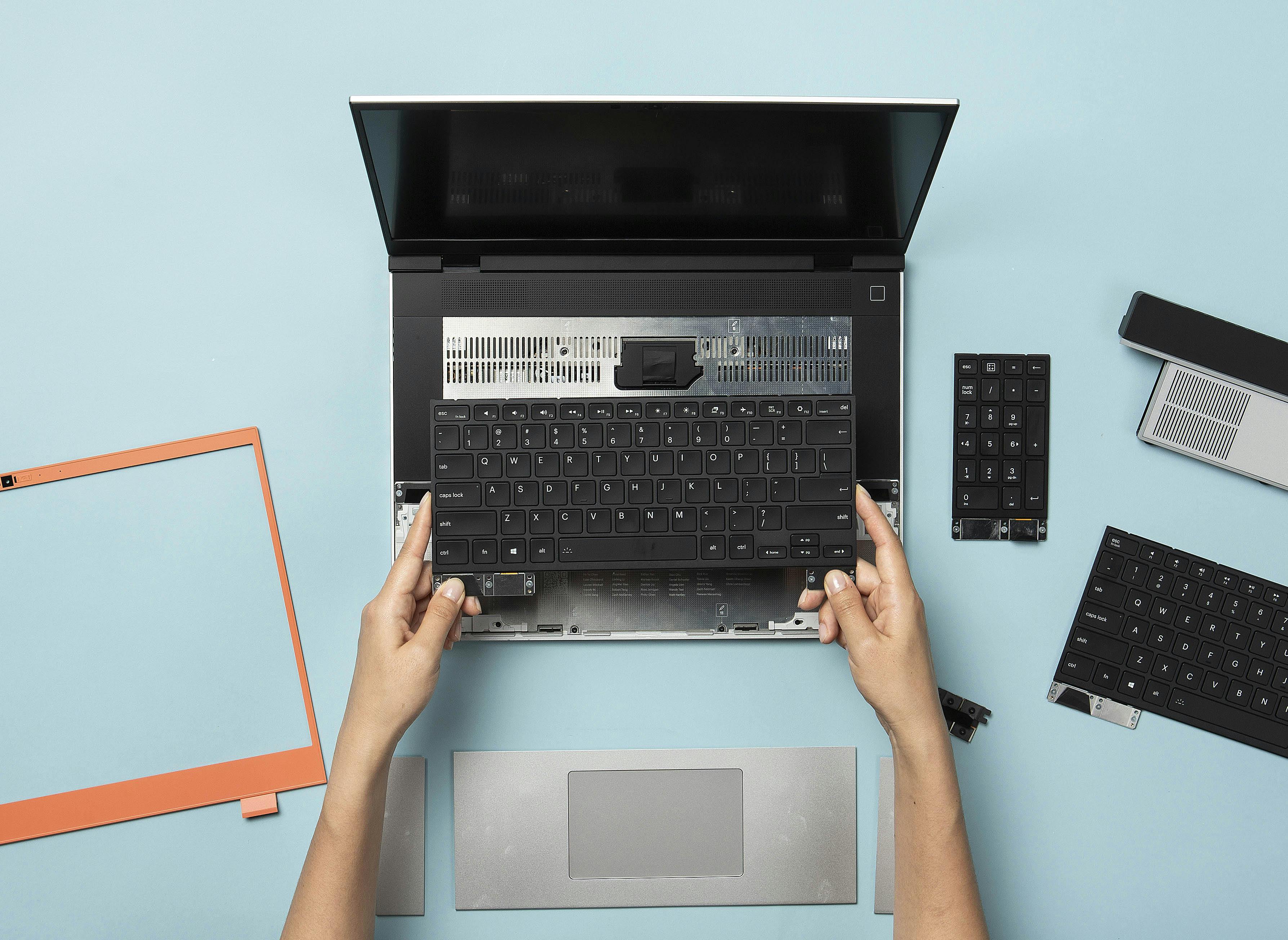
We’re introducing the latest updates to Framework Laptop 16 today, bringing one piece haptic touchpad and one piece keyboard options, along with a new Bezel color and a Ryzen 5 processor configuration. We’re also previewing a new OCuLink Dev Kit that enables extremely high throughput peripherals like eGPUs. Framework Laptop 16 is truly the ultimate portable workstation platform, with the flexibility of a desktop PC in a thin, robust magnesium and aluminum 16” chassis. All of the new updates take in the feedback you’ve given us over the last two years to both extend on modularity and level up performance and refinement.
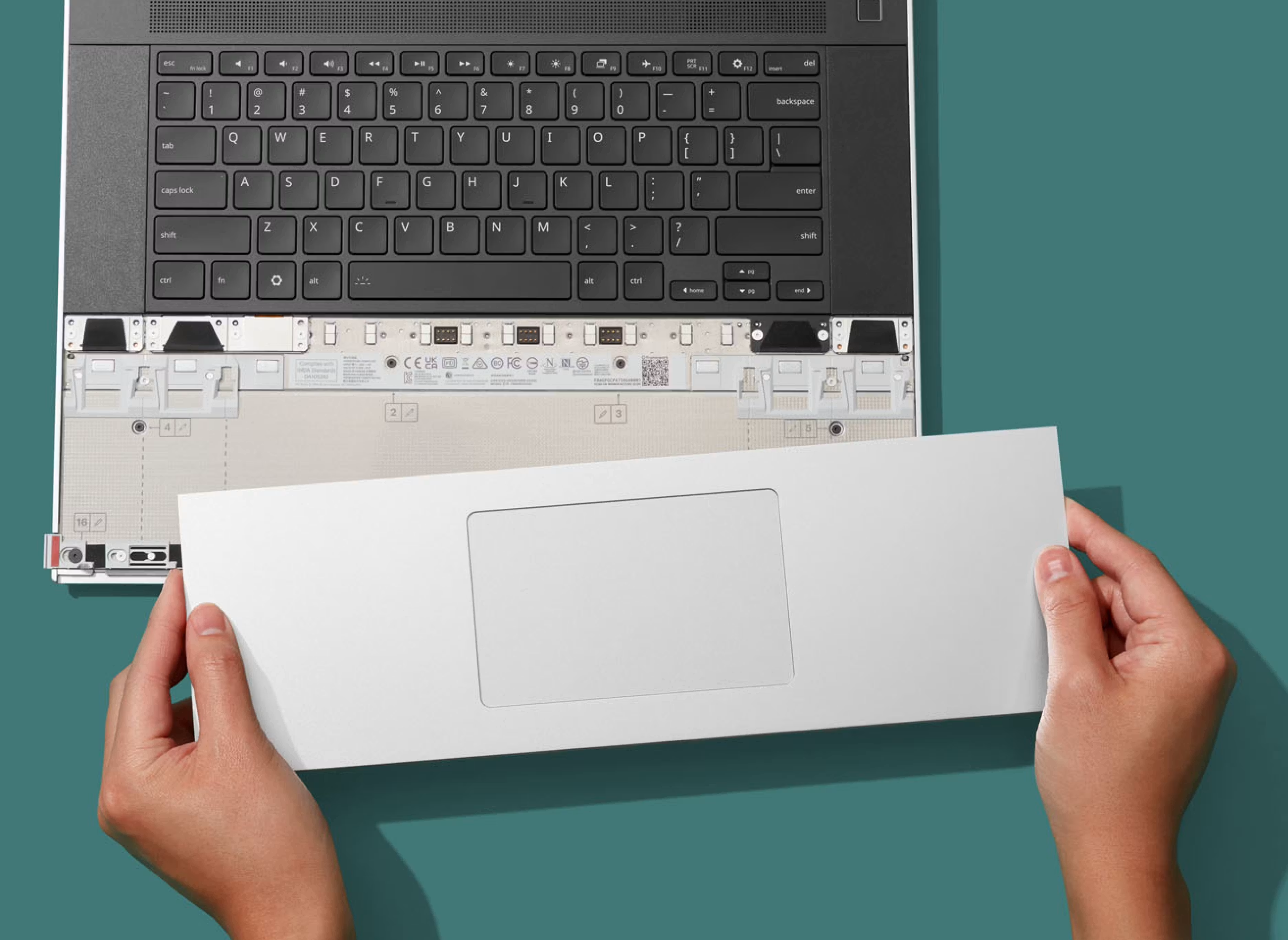
First, the Input Module system on Framework Laptop 16 enables a wild range of input combinations, including being able to choose between numpads and centered keyboards and select the touchpad alignment you want. One of the tradeoffs to enable this modularity though has been seams in the touchpad row. We’re happy to introduce a new One Piece Haptic Touchpad module that centers the touchpad in a single rigid CNC aluminum palmrest part. This is the same new haptic touchpad architecture we’re using in the Framework Laptop 13 Pro, with four piezo haptic elements and careful mechanical and firmware tuning to deliver excellent click feel. Click force and haptic feedback response force are both adjustable too.
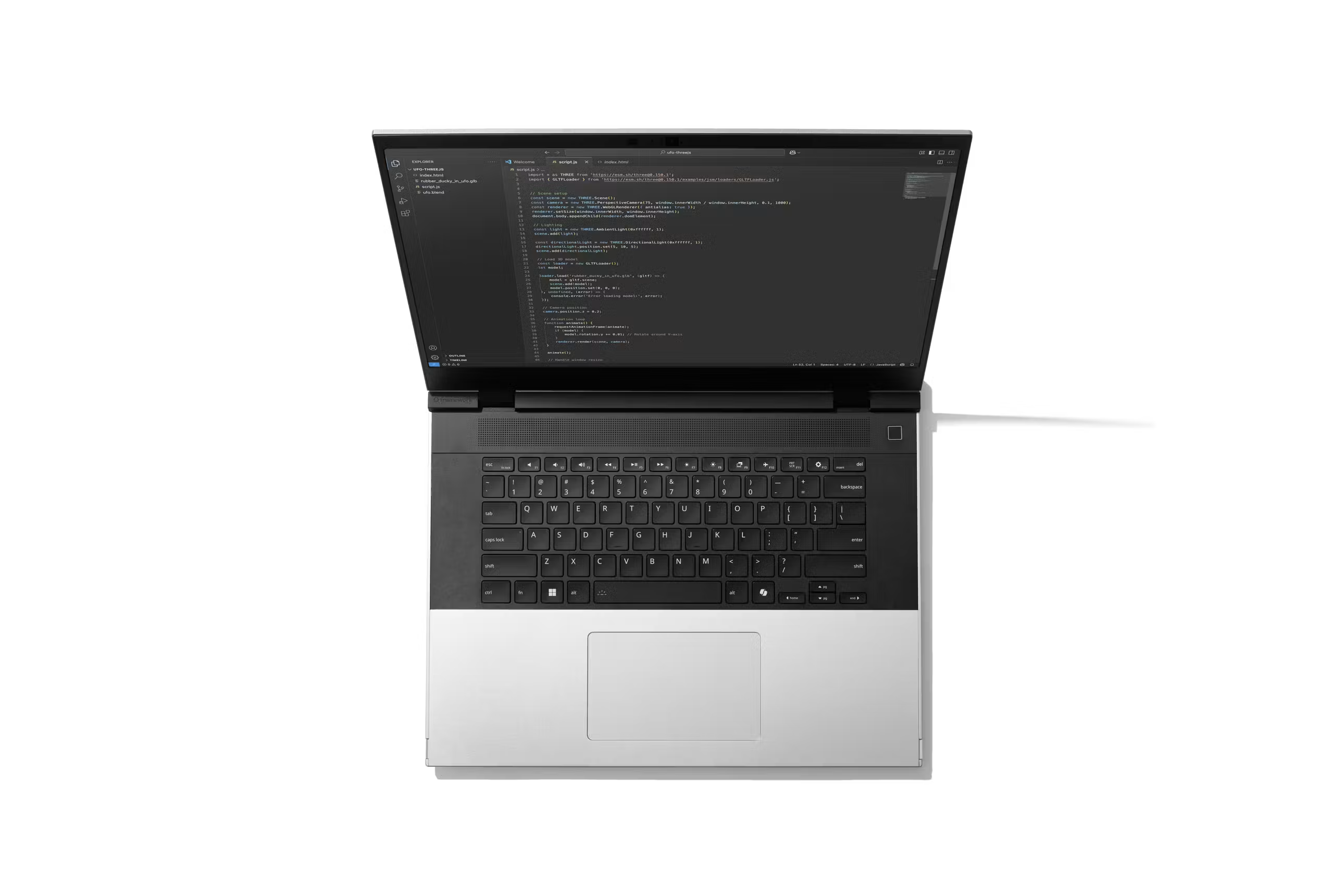
To go along with the One Piece Haptic Touchpad, we also have a new One Piece Keyboard in US English, which keeps the same great key structure while making the top row of the Input Module system seamless too with an aluminum lattice part. Both of these modules are optional, which means you have the choice of just how much modularity you want. Both are now pre-orderable in Framework Laptop 16 configurations, with shipments starting this June.
Framework Laptop 16 is insanely customizable cosmetically too. From the start, you’ve been looking for more options there, and we’re excited to share that after years of testing different translucent plastic materials for both looks and reliability, we’re enabling a Translucent Smoke Gray Bezel. We were able to work with our supplier Mitac to bring in and color tune a brand new resin that is not only mechanically robust, but is actually 98% post-consumer-recycled material! This new Bezel option will be available in system configurations and the Framework Marketplace later this summer.
We have one other configuration update, which is that you can now order Framework Laptop 16 with a Ryzen 5 340 processor option, which enables a new, lower entry price. This is an option that many of our Framework for Business customers have been looking for to enable broader deployments to their teams. Ryzen 5 is available for pre-order today in both a pre-built configuration starting at $1,599 USD and a DIY Edition starting at $1,249 USD.
With Framework Laptop 16, we introduced one other novel module system, the Expansion Bay that enables upgradeable discrete Graphics Modules and other high-speed, high-power peripherals over an internal PCIe x8 interface. When we announced the Expansion Bay and open sourced documentation around it, we immediately saw interest from the community around OCuLink. This is an interface technology that allows bringing the internal PCIe out over a connector and cable to enable external peripherals like eGPUs without the overhead of Thunderbolt. We quickly saw interest turn into multiple community efforts to design OCuLink adapters. In parallel, we had been experimenting on our own with OCuLink.
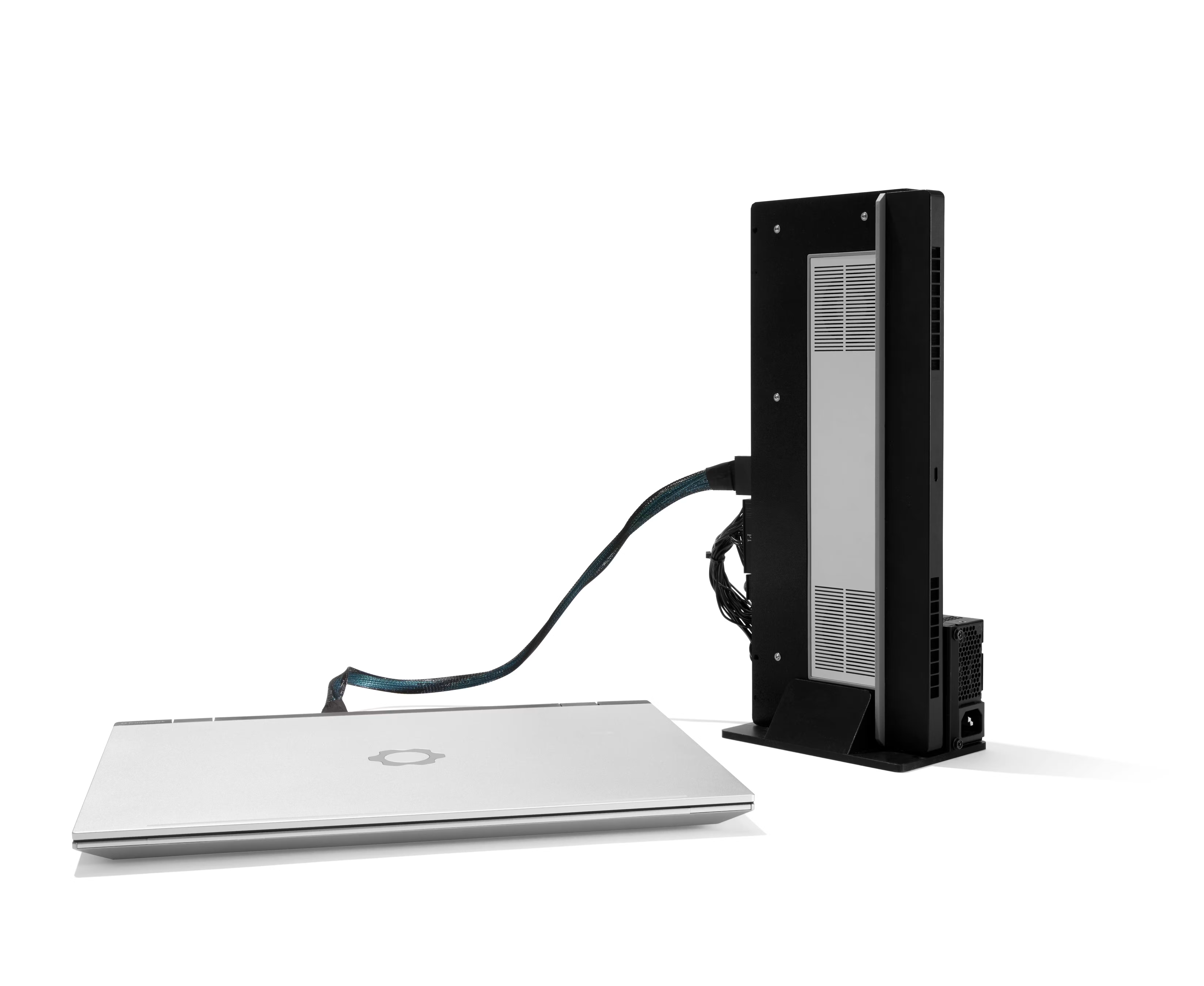
Today, we’re happy to preview the results of those experiments, the OCuLink Dev Kit, which uses OCuLink 8i to enable external peripherals with up to 128 Gbps bidirectional throughput. As far as we know, this makes Framework Laptop 16 the first laptop to have an 8-lane OCuLink interface exposed.
There are three parts of the Dev Kit. First, the core of the kit is the OCuLink Adapter Board that drops into a Framework Laptop 16 Expansion Bay Shell and brings the PCIe interface to a connector on the rear of the laptop. Second, we’ve developed a Graphics Module OCuLink Dock that allows re-using Framework Laptop 16 Graphics Modules externally to the system at native performance. Finally, we have the PCIe OCuLink Dock that allows using standard off the shelf PCIe cards like graphics cards, 100Gbps network cards, video capture cards, and more with very little performance hit over using them in a desktop PC.
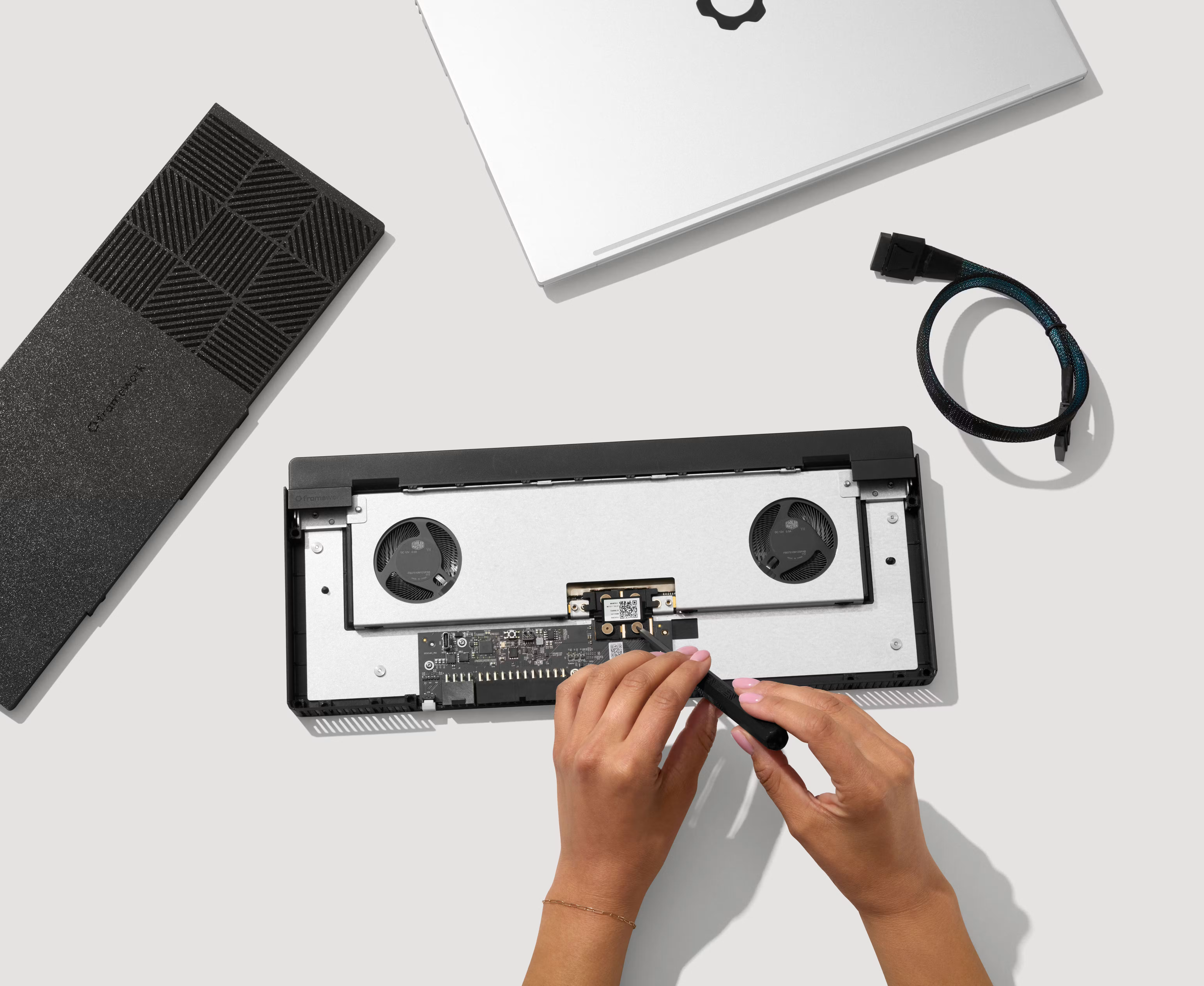
We designed this system as a kit, where we provide you with the core electronics, structure, and reference 3D-printable designs, and you can choose what to build around it. The GPU, the enclosure, the power supply, and the overall setup are all up to you. We’ll have more to share on the OCuLink Dev Kit as we get closer to shipping it later this year.
We’re excited to keep extending on the extreme modularity of Framework Laptop 16 and making this a portable workstation that you can own and modify at the deepest level.