


The ultimate
developer laptop
Framework Laptop 13 Pro delivers 20 hours of battery life ϟ, Intel Core Ultra Series 3 processors, LPCAMM2 memory, and a haptic touchpad in a refined CNC aluminum chassis. Still repairable, upgradeable, and customizable, with excellent Linux support. Now with nothing holding you back.
The ultimate
developer laptop
Framework Laptop 13 Pro delivers 20 hours of battery life ϟ, Intel Core Ultra Series 3 processors, LPCAMM2 memory, and a haptic touchpad in a refined CNC aluminum chassis. Still repairable, upgradeable, and customizable, with excellent Linux support. Now with nothing holding you back.
20 hours of battery
ϟ We paired the efficiency gains of Intel® Core™ Ultra Series 3 processors with a 21% increase in battery capacity and higher energy density cells. The result is battery life that actually lasts through the day.
Fully CNC aluminum chassis
The new graphite-anondized aluminum chassis is CNC machined from a raw block of 6000-series aluminum, bringing added durability without breaking compatibility. It works with every Framework Laptop 13 Mainboard, from earlier generations to what’s next.
Linux first
Available with Ubuntu pre-loaded and certified out of the box, or bring your own OS with community support for Fedora, Bazzite, NixOS, Linux Mint, CachyOS, and more.
Finally, great battery life in a Framework Laptop
20 hours
17 hours
Active web usage
250nit brightness, 30% volume,
Windows 11
11 hours
Video conferencing
250nit brightness, 30% volume,
Windows 11
7 days
Standby without charging
Wi-Fi connected on Ubuntu

“This is their best build yet. They're finally doing what people have been asking for, a premium modular laptop.”

"The Framework Laptop 13 Pro delivers up to 20 hours of 4K Netflix streaming. That’s battery performance that rivals the 14-inch MacBook Pro. And unlike Apple’s sealed-in pack, our battery is fully user-replaceable, keeping your device running like new for years."

“With a 74 watt-hour battery inside of it and a rather conservative processor, you’d expect that battery life would be a standout… and it is! The laptop lasted 22 hours and eight minutes.”
Intel® Core™ Ultra Series 3 processors

The Framework Laptop 13 Pro runs on Intel® Core™ Ultra Series 3 processors, unlocking 20 hours of battery ϟ life, up to 64GB of LPCAMM2 LPDDR5X memory, and support for up to 8TB of PCIe Gen 5.0 NVMe storage. It’s designed to stay responsive under sustained, heavy workloads.
Power-efficient memory, made upgradeable
We’re among the first to pair Intel® Core™ Ultra Series 3 with LPCAMM2. A high-density interposer enables LPDDR5X in a modular form, delivering 7467 MT/s and high performance per watt without soldering it down.

A laptop that you own
You can customize it,
Pick your ports with the Framework Expansion Card system and install them directly into your laptop without relying on external adapters. The magnet-attach Bezel lets you customize with bold or translucent color options.

USB-C

USB-A

Audio Jack

DisplayPort

HDMI

MicroSD

SD

Storage - 250GB

Storage - 1TB

Ethernet
repair it,
A truly easy-to-repair laptop that’s built to respect your rights. Just scan the QR codes, follow the guides, and replace any part with a single tool that’s included in the box.
upgrade it.
When you're ready for more performance, you can upgrade individual components instead of replacing your entire laptop. Install a new Mainboard for generational processor upgrades, add memory to handle heavier workloads, or expand your storage to increase capacity or enable dual booting. The Framework Marketplace makes it easy to find the compatible parts you need.


“The Framework Laptop 13 Pro is easily the best rendition of this ultra-repairable design yet.”
Runs Linux. Really well.
(you can also use Windows 11 if you want)

We don’t just support Linux; we live in it. Framework Laptop 13 Pro with Intel® Core™ Ultra Series 3 is our first Ubuntu Certified system. We seed development hardware and provide funding to a range of other distros like Fedora, Bazzite, NixOS, CachyOS, and more to ensure reliable support.

“This feels like one of the most premium laptops for Linux that I have ever used.”
“The Framework Laptop 13 Pro is designed with great Linux compatibility in mind.”
A sensory upgrade
13.5" 2880x1920 Touchscreen Display
A custom 13.5" 3:2 touchscreen display with sharp 2880×1920 resolution gives you the vertical space you need for coding and productivity. A 30–120Hz variable refresh rate keeps motion smooth while optimizing power, and with up to 700nits of brightness and a matte surface, it stays clear across a wide range of lighting conditions.

“The panel measured an astounding 709 nits on our light meter, handily surpassing the MacBook Pro's mini LED screen (558 nits) and the OLED panels on the Asus Zenbook Duo (456 nits) and HP OmniBook Ultra 14 (414 nits).”
A haptic touchpad that beats your expectations
The large 123.7mm × 76.7mm Haptic Touchpad, powered by four piezoelectric actuators, delivers consistent, high-quality clicks across the surface. Feedback and gestures are fully tunable, so you can set it up exactly how you want.


“Framework also updated its laptop’s touchpad this year with its first haptic motor... It feels just as smooth and responsive as the top flagship laptops I've laid hands on.”
The keyboard you love, now even better
With 1.5mm of key travel, the keyboard delivers deeper, more tactile feedback than most modern laptops without increasing noise. A CNC aluminum Input Cover Frame reduces deck flex for a more solid and consistent feel. Available in multiple ANSI and ISO layouts, in black, black with lavender, and black with gray and orange.
“The keyboard, as mentioned, is pleasantly crunchy and I'm a big fan of the haptic touchpad, which really does feel like it came from a MacBook.”
“The new, fully backlit keyboard has a 1.5mm key travel, but more than that, the key presses have a pleasant bouncy feel.”

“The Framework 13 Pro keyboard is better than both my MacBook Pro 16 and my MacBook Air keyboards. I honestly don't want to go back. MacBook keyboards are amazing, but the 13 Pro keyboard has more travel, and that makes it feel much nicer when typing.”
Dolby Atmos® audio
The side-firing speakers are tuned with Dolby Atmos® to deliver clear, balanced audio on Windows, ideal for calls or music while you work.

Thin, light, and fully aluminum
At just 15.85mm thick and 1.4kg, gaining durability doesn’t mean losing portability. The Top Cover, Input Cover, and Bottom Cover are now CNC machined from 6063 aluminum, increasing rigidity and durability.
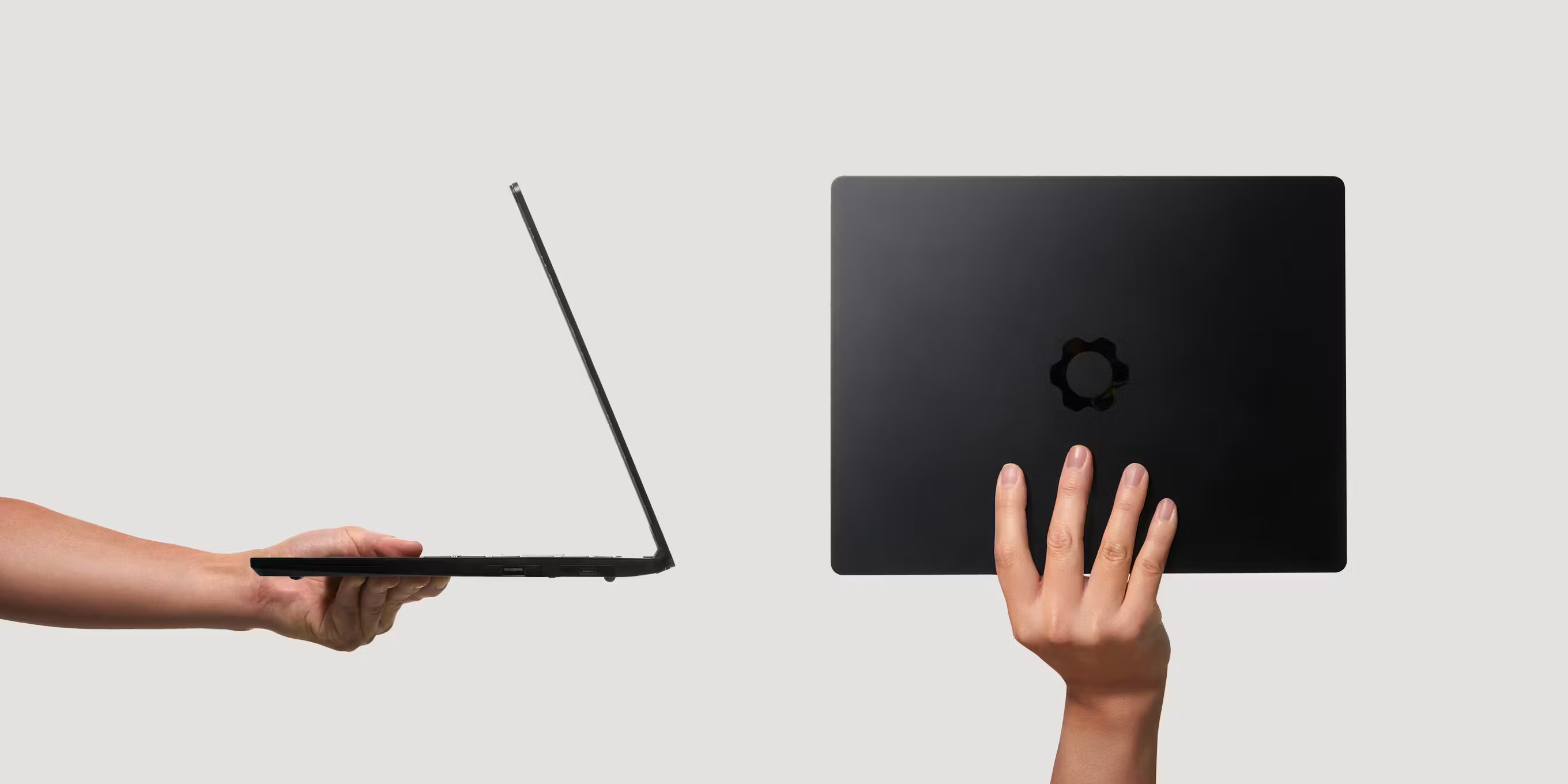

296.63mm
Width
228.98mm
Depth
15.85mm
Height
1.4kg
Weight
“This Framework is by far its best-built laptop, feeling more premium and rigid than ever before.”
Open source ecosystems
We’ve open sourced design files and documentation for many core components and firmware on GitHub, giving you the freedom to modify, extend, or repurpose them.
Respecting your privacy

Privacy switches
Your privacy is protected at a hardware level, with physical switches that electrically cut off the webcam and microphones whenever you need.
No crapware
We hate software bloat as much as you do. Our pre-builts ship with Ubuntu or stock Windows 11 plus the necessary drivers, and our DIY Edition lets you bring whichever operating system you’d like.
The choice is yours
Framework Laptop 13 Pro is available pre-built with Windows or Ubuntu pre-installed, or as a DIY Edition that lets you install the operating system of your choice.
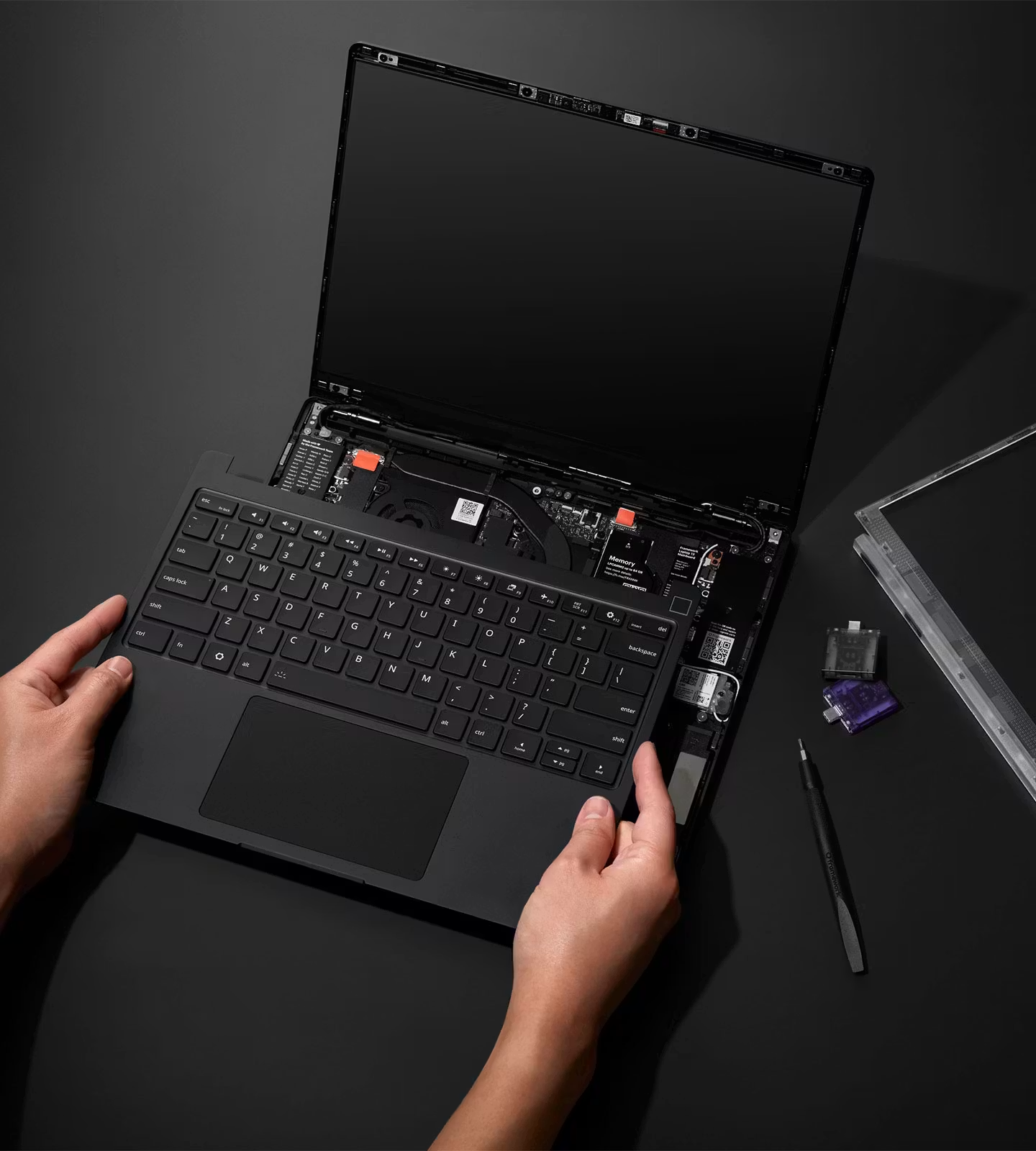
DIY Edition
Bring your own memory, storage, and operating system, including Linux, and build it yourself.
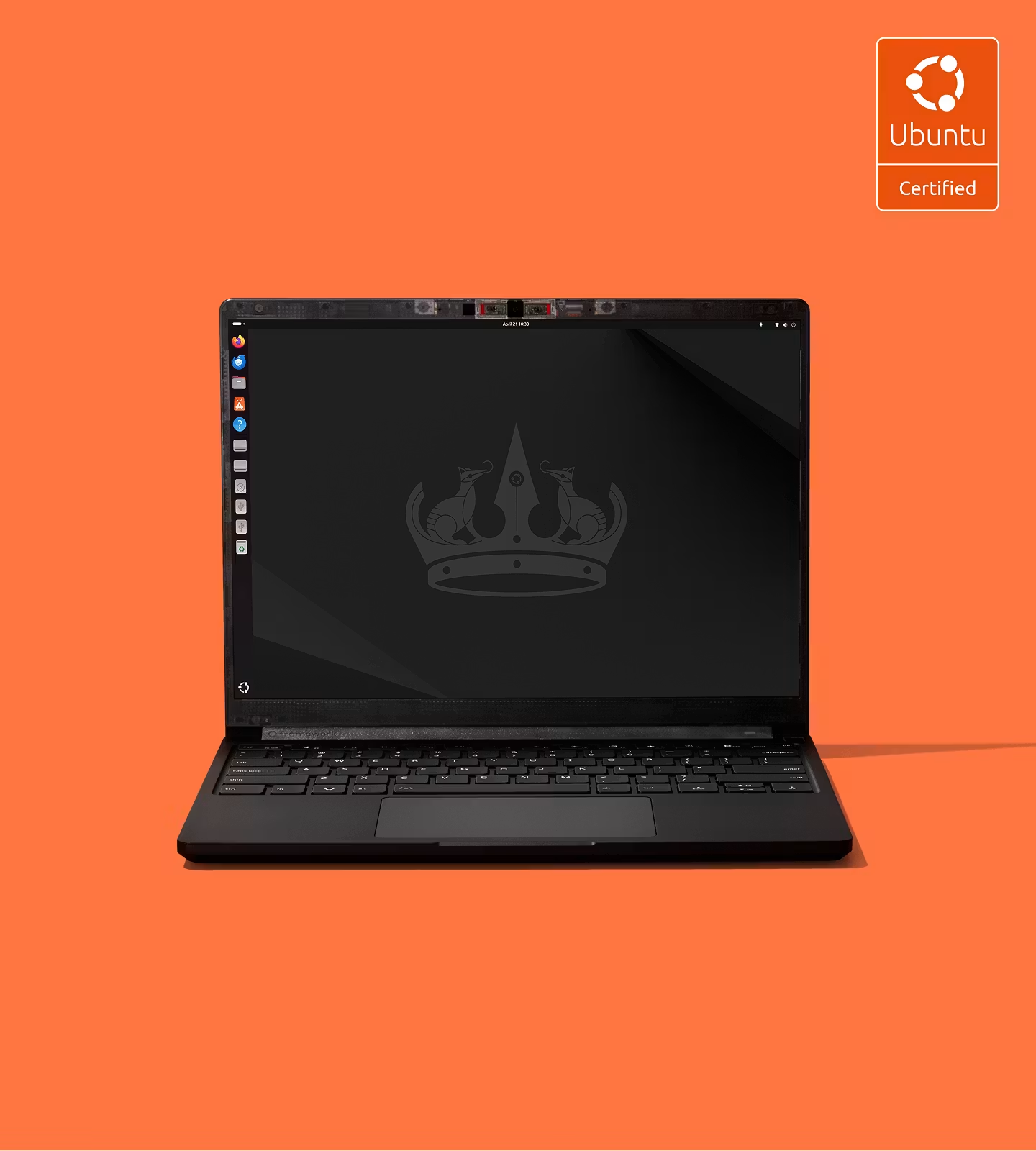
Pre-built
Ready to go out of the box with Ubuntu or Windows 11. Easy to upgrade or switch.

Planning a volume purchase?
Planning a volume purchase?
Upgrade, customize, and repair
Pick up new parts and modules for your Framework Laptop 13 Pro.

Keep track of what we’re working on with the Framework Newsletter.

ϟ
Testing conducted by Framework in April 2026 using Framework Laptop 13 Pro tested with Intel® Core™ Ultra X7 358H Processor, Intel® Arc™ B390 graphics, 2.8K touchscreen display, 32GB memory and 1TB storage, with display brightness set to 250nits, display refresh rate set to 60Hz, speaker volume as 30%, Dolby Atmos® disabled, and wireless enabled. Battery life tested by streaming Netflix 4K content in the Netflix app on Windows 11 under Best Power Efficiency mode. Battery life varies by use and configuration.